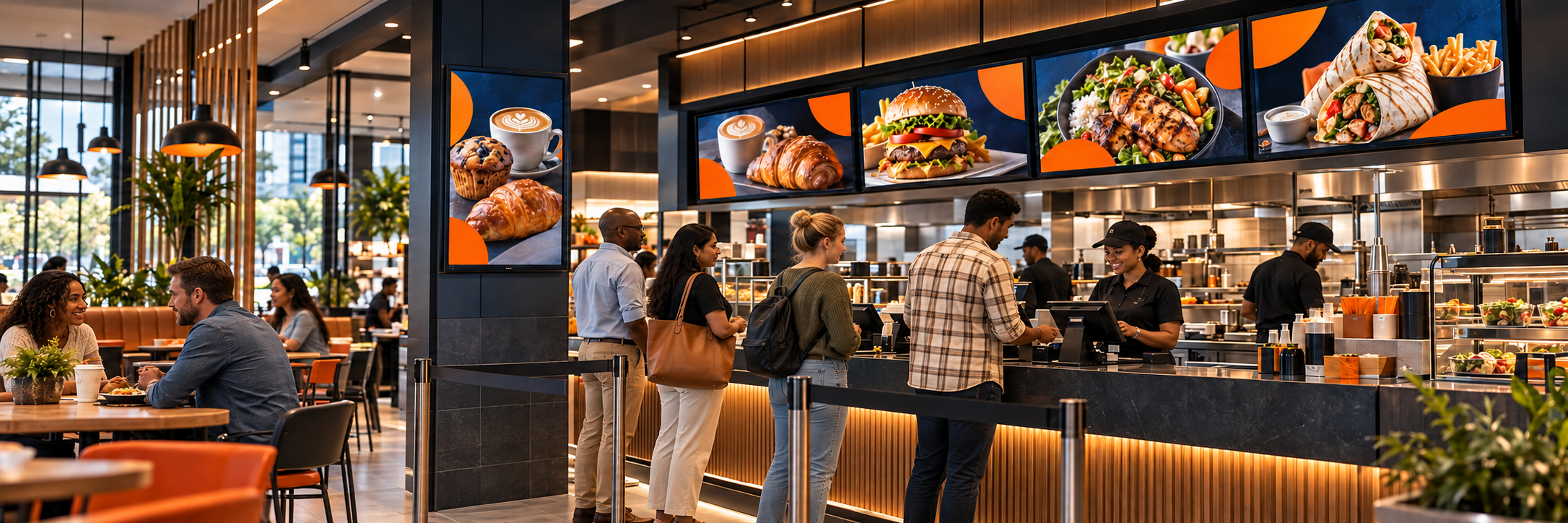
A digital menu board is more than a printed menu placed on a screen. Done well, it helps customers decide faster, gives you control over updates, and leaves space for promotions without making the main menu hard to read.
Digital menu boards are now well past the experimental stage in South Africa, with quick-service restaurants, coffee shops, bakeries, and takeaway counters using them for dayparts, promotions, and consistency across sites. The best results come from planning the whole system, including hardware, layout, and ongoing management, instead of just buying screens.
Why Do Restaurants Move Away from Print?
Printed boards become expensive when prices, product availability, or campaigns change often, whereas digital signage software lets an authorised person update one site or many without reprinting panels. The saving is not only printing and courier costs, because you also avoid the delay between deciding on a change and seeing it on the wall, which matters when a product runs out or a promotion ends.
The real value is control and consistency. You can separate the functional menu from promotional content, give selected products more attention, and make sure an expired price does not stay on display for weeks, and for groups and franchises that consistency across branches is often the reason the project gets approved, since customers see the same accurate menu wherever they order.
How Do You Choose Hardware for Restaurant Conditions?
Menu boards often run for long hours in warm, busy environments, so commercial-grade displays are generally better suited to continuous use, landscape or portrait mounting, and central control. Check brightness, viewing angles, ventilation, mounting options, warranty terms, and replacement availability before you commit, because a panel that looks fine in a showroom may struggle above a hot kitchen running from early morning to late evening.
If you are still comparing panel types, our guide to the best digital signage hardware and the supported hardware list are good places to start, and it is worth confirming that the screens suit your layout. Reusing an existing television can be sensible for low-risk back-office screens, but customer-facing menu panels will reward commercial grade from the start.
How Should You Plan the Layout Before Buying Screens?
Decide how many menu categories must be visible, where customers queue, which panels will carry promotions, and how often the content will change, because those answers determine the number, size, orientation, and placement of your screens. A site that tries to fit the full menu, the breakfast special, and three promotions on one display will feel cramped no matter how good the design is.
Many successful sites use one set of panels for the core menu and a neighbouring panel for meal deals, seasonal drinks, or high-margin add-ons. That separation keeps the menu clear and functional while still giving marketing room to promote, and it stops animation from making prices harder to compare during peak ordering times.
How Do You Keep a Menu Readable at a Distance?
Readability is won or lost in the queue, so use clear categories with a consistent reading order, make item names and prices legible from where customers actually stand, and limit photography instead of illustrating every meal. Movement works best when it is kept for selected promotions or transitions, and the menu should be checked on the installed screens rather than only on a design monitor, because colours, contrast, and text size all look different under real lighting.
If a first-time customer cannot find a familiar item within a few seconds, the layout is too clever. Simplify the categories, reduce the choices per frame, and keep allergen, availability, and pricing information accurate and easy to spot. An eye-tracking study of overhead menu boards in tea shops found that the boards influenced what customers bought, particularly occasional customers, and its guidelines covered font, colour, spacing, and placement. The study was small and specific to tea shops, so treat it as a useful guide rather than a rule.
How Should Dayparting Work on a Menu Board?
A coffee shop may need breakfast, lunch, and late-afternoon content, while a drive-through may promote hot drinks on a cold morning and a family meal later in the day. With Imagine's scheduling tools, those menus can change automatically without staff having to remember to switch them, which removes one of the most common causes of the wrong menu being displayed.
Dayparting should make the decision easier for regular visitors, so familiar items should not disappear, and promotions should not overwhelm the core menu at peak ordering times, when speed and clarity matter most.
How Do You Keep Menus Consistent Across Locations?
A franchise or restaurant group will usually need one approved menu structure with different prices, products, or promotions by region. That is best handled with reusable playlists and screen groups instead of rebuilding every menu from scratch, which protects the core menu while giving regions controlled room for local pricing, availability, and promotions.
Local flexibility should be deliberate, so a store might be allowed to promote a branch-specific offer on one panel while the core menu stays under central control. It also helps to record every model, player, and installation detail in screen management, and to use reporting to confirm that the correct menu played in each store, especially after price changes or campaign launches.
A well-planned digital menu makes ordering easier, whereas a poorly planned one simply makes the old printed menu brighter. If you are planning new menu screens or replacing print across several sites, contact the Imagine team to discuss how Imagine Digital Signage can manage menus, promotions, and schedules across one location or many.
--
Frequently Asked Questions
What should you check before putting a menu board above a hot kitchen?
Check brightness, viewing angles, ventilation, mounting options, warranty terms, and replacement availability before you commit, because a panel that looks fine in a showroom may struggle in a warm kitchen running from early morning to late evening. Commercial-grade displays are generally better suited to that kind of continuous use. Our guide to the best digital signage hardware explains how to match a screen to its environment.
How much of the menu should fit on one screen?
There is no fixed number. Decide which categories must be visible, where customers queue, and which panels will carry promotions, then use those answers to set the number and size of your screens. Fitting the full menu, a breakfast special, and several promotions on one display always feels cramped, so many sites keep the core menu on one set of panels and put promotions on a neighbouring one.
Why does a menu look different on the wall than on a design monitor?
Colours, contrast, and text size all change under real lighting and at queue distance, so a design that looks right on a monitor can be hard to read on the wall. Check the menu on the installed screens from where customers actually stand, and if a first-time customer cannot find a familiar item within a few seconds, simplify the categories. Previewing a playlist helps, but a final check on the physical screen is still worth doing.
Can individual restaurants set their own prices on a franchise's menu boards?
Yes, within limits you set. A franchise usually keeps one approved menu structure and lets regions change prices, products, or promotions through reusable playlists and screen groups, and a store can be given one panel for a branch-specific offer while the core menu stays under central control. User permissions decide who can edit what.
How do you confirm the right menu played after a price change?
Reporting and proof of play show which content played on each screen, so you can check that the new menu ran in every store after a price change or campaign launch. It also helps to record each screen's model, player, and installation details in screen management, so any store that did not update is easier to investigate.