Businesses usually buy digital signage to solve a practical problem: printed posters are slow to change, costly to reprint, and easy to leave out of date.
Digital signage software solves that problem by letting you publish once from a central dashboard and keep every site, department, and screen consistent, without reprinting or driving around with a USB stick. The ten benefits below show where that value appears most clearly, whether you run an office, a clinic, a dealership, a school, a hotel, or a store.
How Does Digital Signage Improve a Business?
Digital signage saves time, reduces printing costs, and keeps customers and staff informed. You can update every screen from one place, schedule messages for the right moment, and track what played across your network, and the ten benefits below show how that works in practice.
1. Update Every Screen in Minutes, Not Weeks
With print, a single change means artwork, sign-offs, printing, delivery, and someone remembering to put it up. With Imagine's features, you can update the playlist centrally and have the new version playing across one site or fifty branches within minutes, provided the players are connected. That speed matters when prices move, services change, trading hours shift, or an urgent notice needs to go out, because customers and staff always see the current version instead of last week's notice.
2. Keep Content Accurate and On Time
Outdated content damages trust faster than almost anything else on a screen, so it is worth using scheduling to give every message a start and an end date. Your morning message appears in the morning, your event reminder appears before the event, and your limited offer leaves the rotation automatically, which removes the Monday-morning scramble to take down content that should already be gone.
3. Reach People Where Decisions Are Made
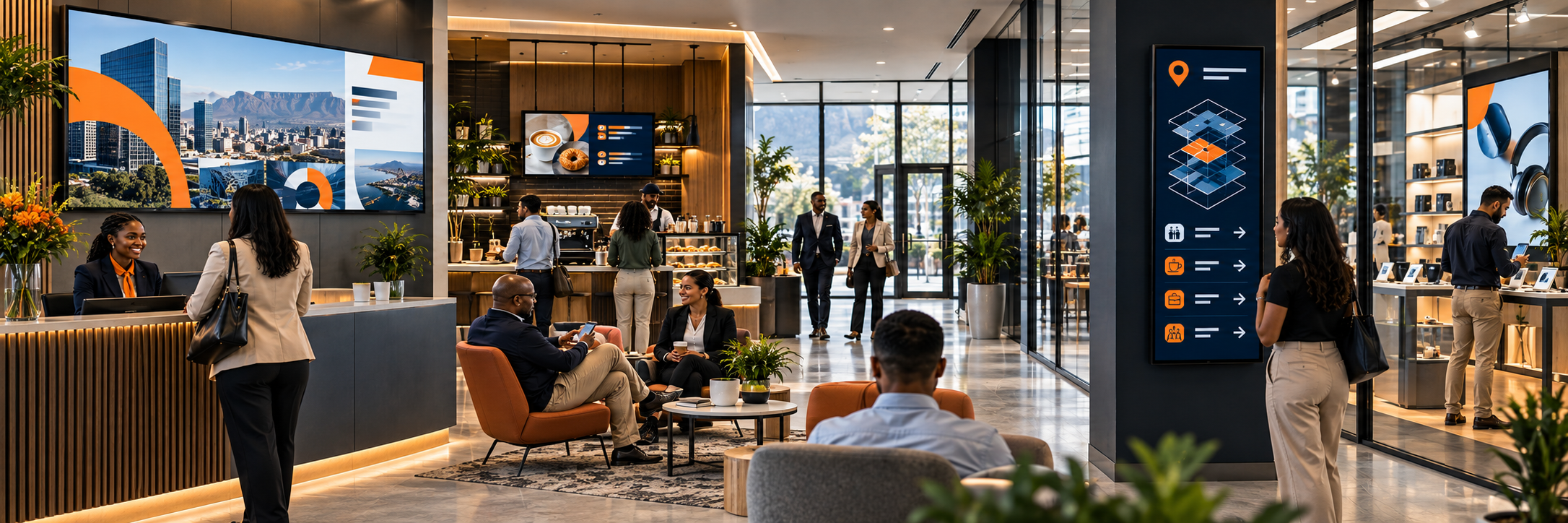
An entrance screen suits broad welcome messages, opening hours, and company-wide highlights, while focused screens do the heavier lifting where people are already deciding what to do next. The best screens stay closely tied to what is happening right in front of them, as in these examples:
- Car showroom floor, next to the vehicles: finance, service, and accessory options.
- Clinic waiting room: treatments and health checks.
- Service counter: upgrades, memberships, or next steps.
4. Make One Screen Do Several Jobs
A single display can rotate between promotions, new arrivals, how-to guidance, testimonials, trading updates, and useful news or weather widgets, which keeps the screen interesting without making any single frame too busy. Build separate playlists for company-wide, regional, and local content, then define who may update each layer, so head office protects the brand while each site keeps room for its own people, events, and priorities.
5. Make Waiting Time More Useful
Reception areas, queues, lounges, and service desks all create dwell time that is wasted unless you use it well, so use those screens to explain services, answer common questions, outline what happens next, or share relevant offers. A field experiment in a grocery store, published in the Journal of Retailing and Consumer Services, found that digital signage at the checkout reduced perceived waiting time and created a more favourable waiting experience, and it was the better experience that lifted overall store satisfaction. Visitors who are informed and occupied also tend to reach the front desk, till, or consultation room with clearer expectations and fewer repeated questions for your team.
6. Keep Staff Aligned and Informed
Screens are not only for customers, because staff rooms, kitchens, workshops, storerooms, and back offices can carry rosters, targets, safety reminders, new procedures, and recognition without relying on noticeboards or group chats that disappear. When operational messages appear where teams already gather, and are kept current and clearly owned, fewer instructions get missed between shifts and departments. Our guide to digital signage for internal communications goes into more detail.
7. Reduce Print Costs and Waste
Most organisations underestimate what they spend on design tweaks, reprints, couriers, and expired posters, whereas digital content can be corrected, localised, and reused at almost no marginal cost. The saving is clearest across multiple sites, where one central change replaces dozens of print runs, and it also removes the waste of throwing away stacks of material every time a detail changes. Our comparison of digital signage vs print explains where print still makes sense.
8. Look More Professional and Build Trust
A clean, current, well-designed screen signals that the business is organised and paying attention, which matters in banks, law firms, clinics, schools, hotels, and corporate receptions as much as in retail. Consistent branding, readable layouts, and accurate information reassure first-time visitors, while faded posters, handwritten corrections, and last month's special suggest the opposite, even when the underlying service is excellent.
9. Prove that Content Actually Played
Publishing is not the same as playing, which is why reporting and proof of play matter whenever visibility carries accountability. With playback history, marketing can confirm what ran, where it ran, and for how long, which is essential for franchise networks, paid promotions, internal compliance messages, and any agreement where screen time needs evidence instead of assumptions.
10. Scale Without Rebuilding the System
A system that works for one screen should still work for thirty, so standardise your hardware, use clear screen names and groups in screen management, and keep a repeatable process for staging, installation, and support. If you get that structure right early, growth becomes a matter of repeating what already works, instead of redesigning the network every time a new branch, department, or building is added.
Good signage places a useful message where it can answer a question, support a decision, or keep a team aligned, and it stays accurate without constant effort. If you want to see how that would work in your business, you can register for a free plan, compare Imagine pricing plans, or contact the Imagine team for a demonstration using your own content.
---
Frequently Asked Questions
Does digital signage make a business look more professional?
It can, provided the content stays current, readable, and consistent with your brand. A clean, up-to-date screen signals that a business is organised and paying attention, which matters in banks, law firms, clinics, schools, hotels, and corporate receptions as much as in retail, while faded posters and last month's special suggest the opposite. Giving every message a start and an end date with Imagine's scheduling tools keeps outdated content off the screen.
What should a waiting area screen show?
Use the dwell time to explain services, answer common questions, outline what happens next, or share relevant offers. People who are informed while they wait tend to reach the desk, till, or consultation room with clearer expectations and fewer repeated questions. A news or weather widget can fill the gaps between messages.
Can a single screen carry promotions, news, and how-to guidance without looking busy?
Yes. Rotate promotions, new arrivals, how-to guidance, testimonials, and trading updates, along with news or weather widgets, and keep each frame simple so no single screen looks crowded. Separate playlists for company-wide, regional, and local content let head office protect the brand while each site keeps room for its own events and priorities.
What should be in place before you add more screens?
Standardise your hardware, give each screen a clear name and group, and agree a repeatable process for staging, installation, and support. With screen management set up early, growth becomes a matter of repeating what already works instead of redesigning the network for every new branch or building. The multi-location rollout guide covers the planning in more detail.
Can screens in kitchens and workshops replace noticeboards?
Yes. Staff rooms, kitchens, workshops, storerooms, and back offices can carry rosters, targets, safety reminders, new procedures, and recognition without relying on noticeboards or group chats that disappear. Screens work best when messages appear where teams already gather and someone clearly owns them, so fewer instructions get missed between shifts and departments. The Knowledge Centre's digital signage best practices cover how to keep that content current.