



Design In Canva
Create In Canva
Design eye-catching slides from thousands of Canva templates and add them straight to your playlist, without downloading a thing.
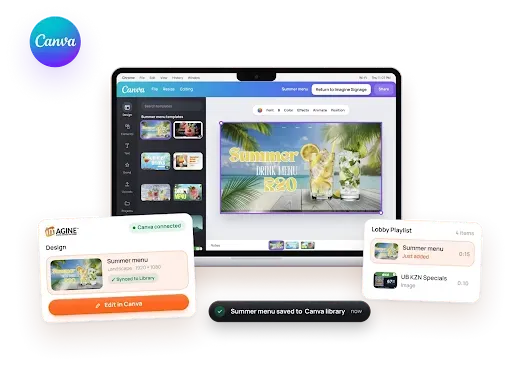
Drag in images, videos, PDFs and widgets, set how long each one plays and how it transitions, then preview the whole loop before it goes live on every screen.
No Limits
Create multiple playlists with different media and assign these to groups of screens or individual screens.
Any Screen Size
Select a preset resolution or set custom dimensions for landscape or portrait screens.
Responsive
Make quick content changes from anywhere with our easy-to-use mobile view.
Display your own Canva templates or personalise any of our content widgets.
Design eye-catching slides from thousands of Canva templates and add them straight to your playlist, without downloading a thing.
Mix in clocks, weather, news, social feeds and more. Set them up once and they keep themselves up to date.
Bring your content together in one timeline, with the flexibility to decide what plays and how it flows.
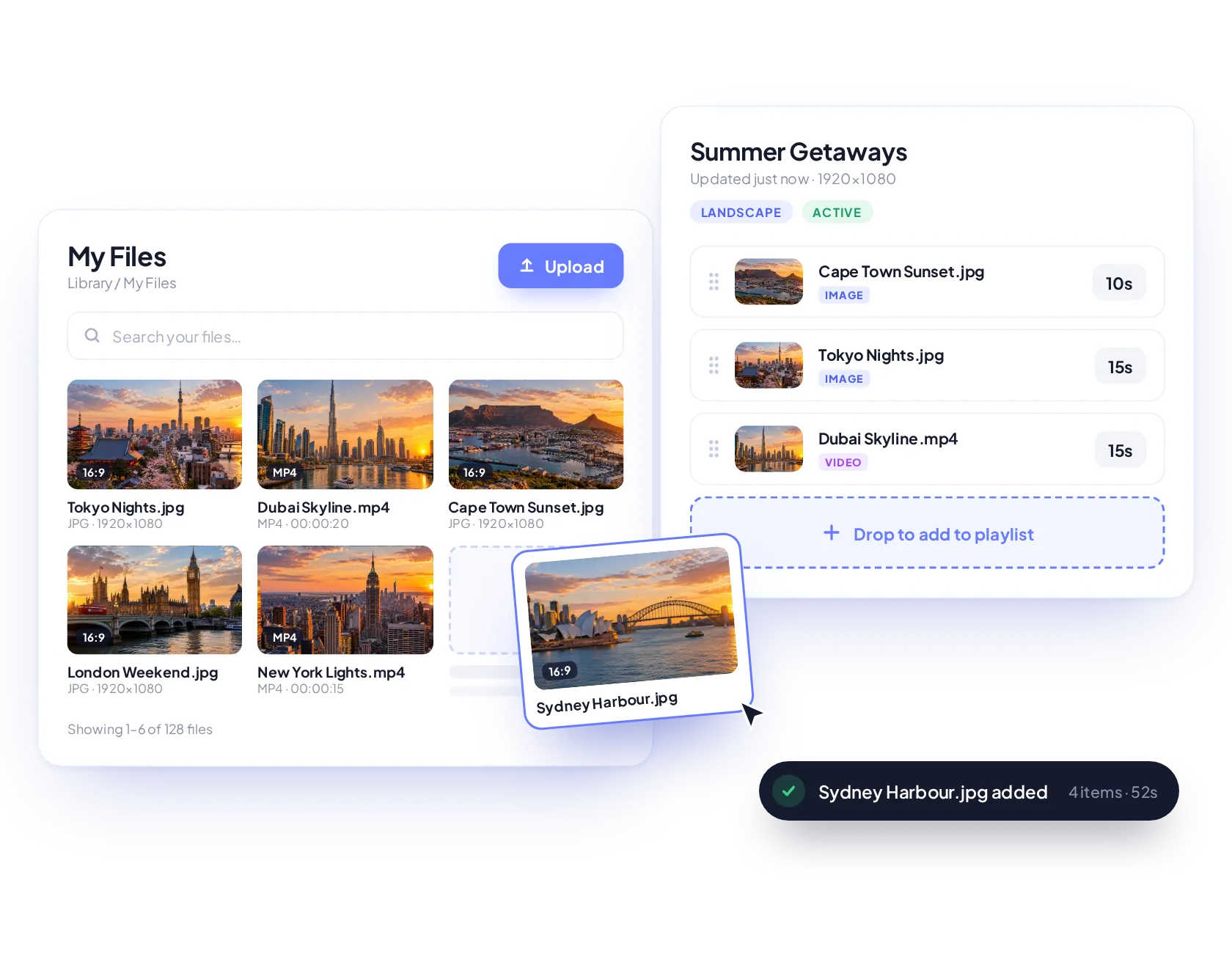
Drag and drop media into your playlist, arrange it your way and make updates from your desktop or mobile.
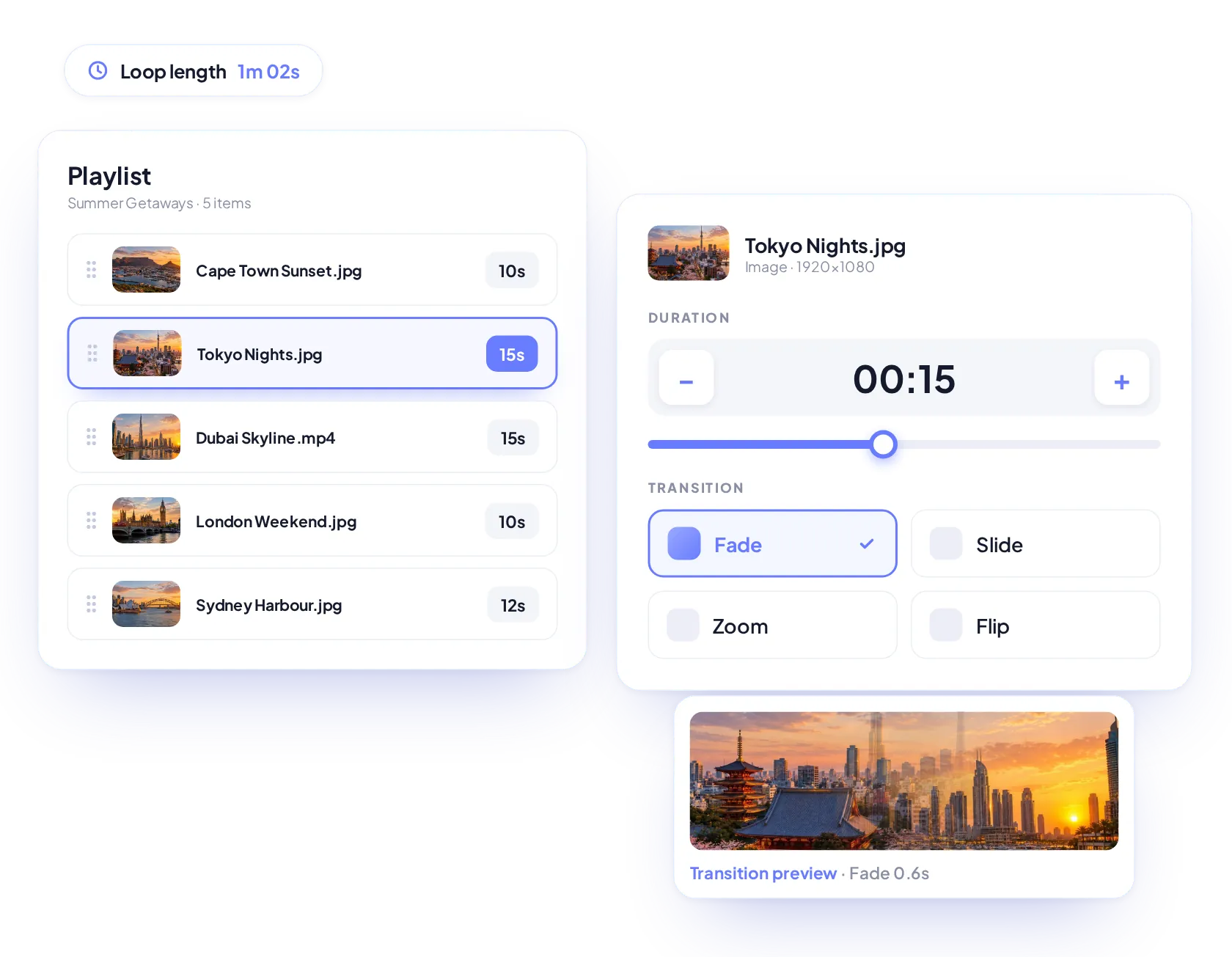
Set how long each media item appears. Keep quick messages moving or give detailed content more time on screen.
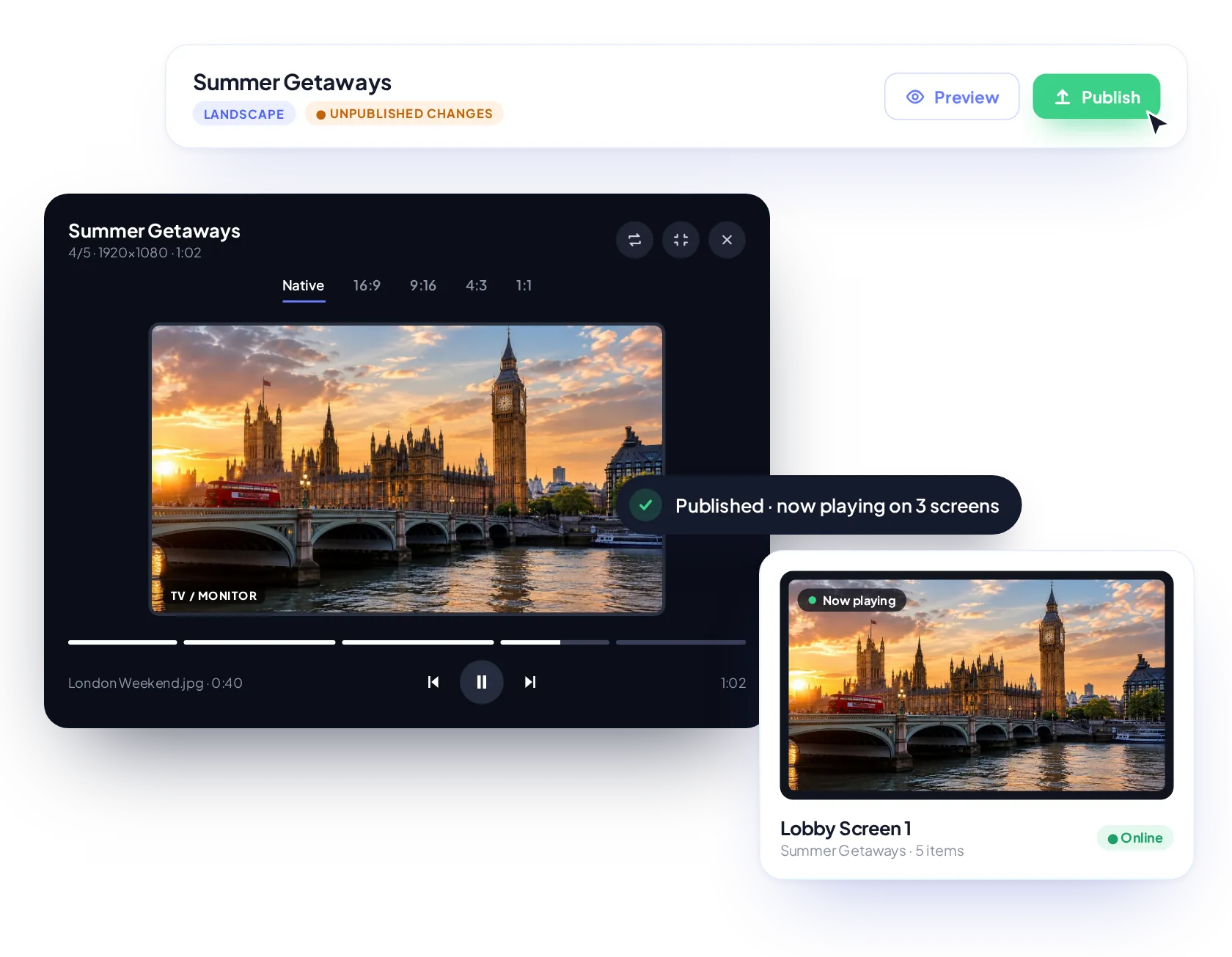
Review your changes before publishing with a live preview of your full playlist loop to check the sequence, timings and transitions.
Arrange your media, fine-tune playback and preview before publishing. Manage everything from timings and transitions to branding, expiry dates and activity tracking.
Upload media directly from your library folders into your playlist timeline and add new content alongside existing items.
Drag and drop media into position to change the order in which your content plays.
Set the display duration of each item to control the pace and total length of your playlist.
Choose entrance and exit effects, including fade, slide, zoom and flip, or use the default settings
Preview the full loop before publishing. Play, pause and skip between items to check timings and transitions.
Set your playlist’s width and height to suit standard screens or displays with custom dimensions.
Choose “contain” to show the full image, “cover” to fill with cropping, or “stretch” to fit the screen.
Adjust audio levels for individual media items or mute content for silent playback.
Automatically remove an item from the playlist at a set date and time, keeping the library file intact.
Place your logo over any media item, choose its position and size, and keep your brand on every screen.
View how your content looks in landscape, portrait, square, ultrawide and custom formats before publishing.
Track playlist edits, additions, removals and reordering. Filter by activity type and export the history.
Don't have time to upload content, no problem. View our extensive scheduler features page.
Schedule a call with a team member, there are no dumb questions and happy to guide you.
Join the businesses already running their screens on Imagine. Register in minutes, or book a demo and we'll show you around.